Hardware We Actually Deploy
Our techs touch hundreds of laptops, docks, switches, and webcams every year. Clients ask us constantly: "What should we buy?" This is the short list — the gear that consistently holds up in real-world business deployments, doesn't generate support tickets, and isn't already obsolete six months after we install it.
Picks below are organized by what we get asked about most. If you're a BlueCloud client and want a recommendation we haven't listed yet, open a support ticket and we'll add it.
Full disclosure: links to Amazon are tagged with our Associates ID, so we earn a small commission on qualifying purchases at no extra cost to you. That doesn't change what makes the list — we only recommend gear we'd put on our own desks (and do).
Executive Laptop
For execs and frequent travelers — premium build, light, all-day battery
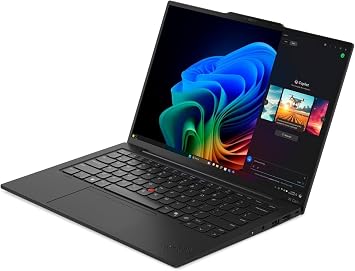
For execs, leadership, and people who live on planes
When the laptop has to weigh nothing, never die mid-flight, and survive being thrown into and out of a backpack ten times a week, this is the tier. Premium build, all-day battery, screens that look good in any lighting, and the kind of fit-and-finish that doesn't feel awkward across a conference room table.
Pay-up justification: a laptop at this tier outlasts two cheaper laptops, refuses to fail in front of clients, and holds resale value when the lease ends. The annualized cost is usually lower than the "budget" pick once you account for support tickets and replacement cycles.
Our current pick
Lenovo ThinkPad X1 Carbon Gen 13 Aura (32GB RAM, 1TB SSD)
Workhorse Laptop
For power users, Adobe Creative Suite, CAD, and developers

For people whose work is the laptop
When the day is Premiere, AutoCAD, Visual Studio, or a stack of Docker containers — not Outlook and Slack — this is the tier. Real CPU and GPU, generous RAM, a screen that's accurate enough to design on, and the all-important serviceability that keeps the machine running for five years instead of three.
The sweet spot for technical roles where downtime equals lost billable hours. We bias toward AMD here for the thermals and the price-to-performance ratio.
Everyday Laptop
For general office work and knowledge workers
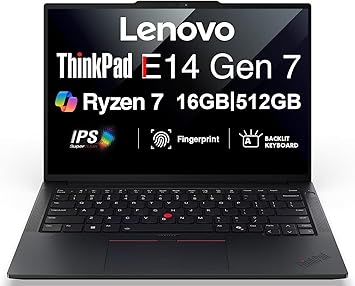
For Outlook, Teams, and the next OS upgrade
When the laptop has to do Outlook, Teams, the web, and the occasional Excel spreadsheet — and the answer to "what's your budget?" is "as little as possible without it being annoying" — this is the tier. Solid build quality (we don't recommend truly bargain-bin gear), enough performance to last through the next Windows version, and a price that makes sense when you're issuing ten of them at once.
The honest "good enough" recommendation for the majority of seats. AMD variants offer the best price-performance here without giving up the ProSupport and warranty story that matters in a fleet.
Compact Desktop
For fixed-desk roles — small footprint, real performance
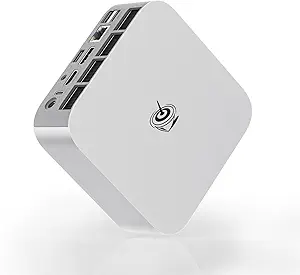
When the seat doesn't move, a laptop is overkill
Mini PCs put a real CPU in a box smaller than a paperback novel, mount behind the monitor, and quietly out-perform anything in the same form factor from the major OEMs. The catch: they're imported, support is by email, and the warranty isn't going to send a tech to your office.
For an MSP shop with internal support like ours, that trade-off makes sense — we cover the support tier the OEM doesn't, and the hardware savings vs. a Dell OptiPlex or HP ProDesk are substantial. When the role fits, this is the most cost-effective desktop deployment we do.
Our current pick
Beelink Mini PC SER9 Pro AMD Ryzen 7 H 255 (32GB LPDDR5X 1TB SSD)
Display
For dual-pane work on a real desk — 21:9 ultrawide without the 4K tax
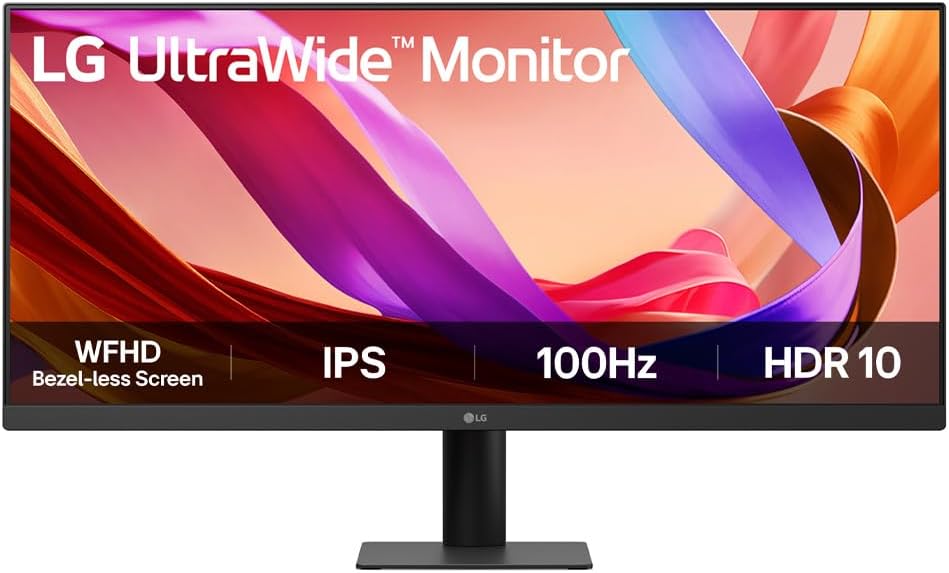
- In an era where the home office has become a permanent fixture and multitasking is less a skill than a survival strategy, the display we choose matters more than ever. This UltraWide 21:9 WFHD monitor (2560x1080) makes a compelling case for rethinking what belongs on your desk.
- The Case for Going Wider. The extra horizontal real estate isn't just a luxury—it's a productivity multiplier. Whether you're juggling spreadsheets, editing video timelines, or losing yourself in a cinematic experience, the ultrawide format eliminates the constant window-shuffling that fragments our focus.
- Color That Holds Up Under Scrutiny. With an IPS panel covering 99% of the sRGB spectrum (Typ.) and HDR10 support, this display delivers the kind of color fidelity that creative professionals demand—and that everyone else quietly benefits from.
- Smoothness Where It Counts. A 100Hz refresh rate may not turn heads among hardcore gamers, but for the rest of us, it's the sweet spot: fluid scrolling, seamless video playback, and just enough headroom for casual gaming after hours.
- Taking Eye Strain Seriously. Reader Mode and Flicker Safe technology reflect a growing—and overdue—industry recognition that our eyes weren't designed for 10-hour screen marathons. These aren't gimmicks; they're guardrails.
- Design That Respects Your Space. The sleek L-shaped, height-adjustable stand acknowledges a simple truth: a cluttered desk breeds a cluttered mind.
- The verdict? A thoughtfully engineered display for professionals who refuse to compromise.
Displays
Monitors we actually mount on desks — ultrawides and the rest of the stack.
LG UltraWide Monitor 29” WFHD (2560x1080)
UltraWide 21:9 WFHD Display (2560x1080): Maximize productivity with a wider screen ideal for multitasking, video editing, and immersive viewing. Stunning Color Accuracy: IPS panel covers 99% sRGB (Typ.) and supports HDR10 for vibrant colors and consistent brightness. Smooth 100Hz Refresh Rate: Enjoy smoother visuals during video playback, multitasking, and light gaming with a 100Hz refresh rate. Eye Comfort Features: Reader Mode & Flicker Safe technology reduce blue light and flickering, minimizing eye strain during long sessions. Space-Saving, Adjustable Design: Sleek L-shaped stand with a height-adjustable base offers a clean, clutter-free workspace.
Buy on Amazon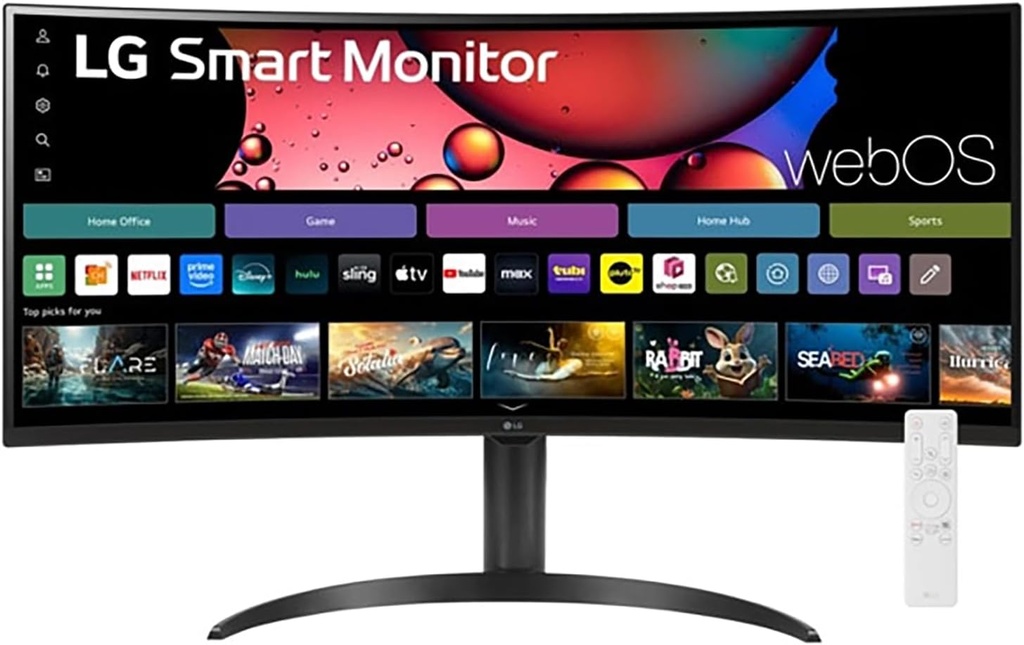
LG 34" Curved UltraWide WQHD(3440x1440) Smart Monitor
Work Smart, Play Smart on a 21:9 Smart Screen - LG Smart Monitor is designed for multitasking while you work, play and watch. Connect the 34” 21:9 curved display to a laptop, desktop or gaming console to immerse yourself in your work or games. Or, with the built-in LG webOS, you can watch favorite shows from your favorite streaming apps. 34" Ultra Wide 21:9 Panoramic Cinema - This 34" ultrawide QHD (3440x1440) with a 21:9 aspect ratio offers a 34% wider view than a 16:9 display. And the monitor's sweeping 1800R curve envelops you as if you were at the movies.
Buy on AmazonHow these recommendations work
We curate
Every product here is one we've vetted. Prices shown reflect the last time we checked Amazon and may have changed -- the price at checkout is the one that applies.
You click through
Every "Buy on Amazon" button routes through a short redirect so we can count clicks anonymously. Your IP is hashed before storage -- we never see who you are.
Amazon handles the rest
You complete your purchase on Amazon as normal. If you buy, we may earn a small commission at no extra cost to you -- that's what keeps the lights on here.